

BackupChain®: The Complete Windows Backup, VM Backup, and Migration Solution
No Subscription Required
Lifetime License • Storage Independent • Unlimited VMs • Unlimited Data • Made in USA
Flexible backup and recovery for any storage environment, with a lifetime license
Manage backups of physical and virtual systems from a single console. Choose from flexible storage destinations and use built-in backup verification to ensure fast, reliable recovery.
- Full Image, Cloning, Version Backup, File-Level Backup, Bare Metal Restore
- Hyper-V, unlimited live VM backups with super-fast change tracking
- Live VMware Workstation, VirtualBox Backups
- Unlimited P2V, V2V, V2P Conversions
Hyper-V backup features
Protect Hyper-V virtual machines with efficient backups powered by Resilient Change Tracking and VSS. Support extends to both Windows Server and Windows PCs running Hyper-V.
- Resilient Change Tracking for super-fast incremental backups
- Compression, Encryption, Deduplication
- Deep Verification of VM Backups
- Unlimited Hyper-V VM backups on Windows Server as well as Windows 11
File-server backup features
Efficiently protect file server data using virtually any storage destination.
- Version backup: efficient file history backup
- Compression and Encryption
- Deduplication of block-based file formats
- Parallel file processing for better performance
Sector-level backup features
Easily create disk images and clones through an intuitive interface, with support for bare-metal recovery.
- Side-by-side disk cloning
- Clone to bootable USB disk
- Open-standard disk image formats (VHDX, etc)
- Boot disk image backup as VM
Migration Features
Move workloads between physical and virtual environments with P2V, V2P, and V2V conversion capabilities.
- Migrate physical machines to and from Hyper-V
- Migrate physical machines to and from VMware
- Migrate physical machines to and from VirtualBox
- Convert virtual machines to other virtual platforms or physical machines
Virtual Machine Backup
Protect virtual machines running on Hyper-V, VMware Workstation & Player, and VirtualBox. Compression, deduplication, and encryption help make VM backups both secure and storage-efficient. Granular backup and recovery options also help streamline backup and restore operations.
- Hyper-V VM Backup
- VMware Workstation VM Backup
- VirtualBox VM Backup
- Granular Backup & Granular Restore
Own your license for life, with unlimited VMs and data and no expiration
BackupChain follows the traditional enterprise software licensing model: purchase the software once and retain ownership indefinitely.
- A single host license covers an unlimited number of virtual machines, with no restrictions on data volume
- Includes technical support and software updates for one or two years
- Perpetual, lifetime license. Just one license is needed for each physical host.
- Movable: Transfer your license to replacement hardware whenever necessary
Rock-Solid Performance: From small businesses to Enterprise

Licensing and editions
All licenses are perpetual, lifetime, one-time fee licenses that are movable to new hardware as needed. Technical support and software updates are included for one, two, or more years, but the software will continue to function forever.
BackupChain Server
File-level version backup, basic VM + DB backup. No granular features, no sector-level disk backups.
See detailsBackupChain Server Enterprise
All software features, including Hyper-V backup and sector-level disk backups + migrations, centralized management, etc.
See detailsBackupChain Platinum
All software features plus fully managed backup monitoring, unlimited backup + restore assistance
See detailsBackupChain Professional
File-level version backup, basic VM + DB backup. No granular features, no sector-level disk backups.
See detailsBackupChain Server Enterprise for PCs Edition
All software features, including Hyper-V backup on Windows 11, centralized management, disk cloning, etc.
See detailsReviews from customers who use BackupChain
BackupChain installed at the High Council of Justice in Albania (Supreme Court) and all of its 33 District Courts in 2018.

Florian Kalia, IT Expert for the Supreme Court of Albania
State of Connecticut: "What a fantastic product - BackupChain on a stick! We did it and it works as advertised with no issues, our server booted up perfectly!"
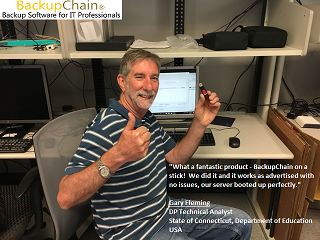
Gary Fleming, DP Technical Analyst, State of CT, Department of Education
"BackupChain gives us security and peace of mind for our customers. It is a product that offers very high performance and high recovery reliability when there has been a disaster. We have had to recover data from our clients after serious disasters, the recovery has been easy, fast and with very satisfactory results"
Josep Tomàs, IT Manager – Binsoft Informatica 

Download your 20-day trial today
Fully functional trial, no card, no signups.
Questions we get asked frequently
BackupChain is compatible with Windows Server versions 2003 through 2025 and Windows versions XP through 11. For virtual machine backups, the operating system installed inside the VM is irrelevant. Hyper-V Server and Windows Server Core installations are supported as well.
Yes. You are free to choose the storage destination that best fits your setup. NTFS and ReFS drives or network shares are recommended. USB storage and FTP/FTPS locations are supported too, including for incremental backups of deduplicated virtual machines. In addition, you can get cloud backup plans at a reduced price when purchased together with the software.
Absolutely. BackupChain can back up virtual machines running on Hyper-V, VMware Workstation / Player, and VirtualBox. Each host running BackupChain can protect an unlimited number of its virtual machines. There is no need to install additional software or agents inside the VMs.
A separate license is needed for every BackupChain installation. Each license is perpetual and can be transferred to another computer when required. Depending on the edition you choose, technical support and software upgrades are provided for one, two, or more years. Your software will remain operational even after your software maintenance agreement expires.
Yes. The Server, Server Enterprise / for PCs, and Platinum editions include centralized management through a secure connection over your LAN or the internet. You retain full control over your network and connections. No cloud service is involved, so your management environment remains completely private. Explore our centralized console overview and software edition comparison for more details.